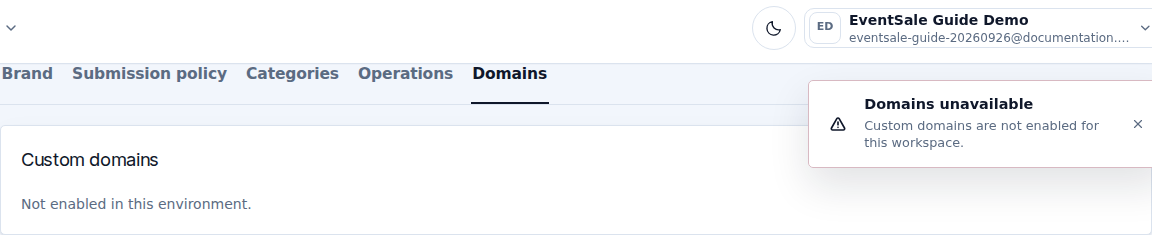
Custom domains
Open Settings → Domains to check whether custom domains are available for your workspace. A custom domain is optional: the generated CaveTech address works without buying a domain.
If the page says Not enabled in this environment, there is nothing to fill in yet. Use the CaveTech public link and contact CaveTech if you need this feature enabled. Do not change DNS until the dashboard provides the records for your hostname.
When the domain form is available
| Field or action | What to do |
|---|---|
| Hostname | Enter only the hostname, such as event.example.com. Do not include https://, a slash, or /apply. |
| Use as | Choose Primary address for the main public address, or Redirect alias for an additional address. |
| Add domain | Registers the hostname and displays the required DNS records. It does not change your DNS provider's settings for you. |
Prefer a subdomain if your main domain already hosts a website. Adding a root domain can replace that website's routing and requires confirmation; your provider must support the required alias/flattening behavior.
Copy the DNS records
At the company that manages the domain's DNS, create each record displayed by EventSale. Map Type, Name / Host, and Value / Target to the equivalent fields at that provider. Use the copy controls, and copy verification records as well as the routing record.
Do not add https:// to a DNS target or substitute your own IP address. The correct target is the one supplied for your domain by the dashboard.
Verify before sharing
- Save the DNS records with your provider.
- Select Check now on the domain card.
- Read the status, Last checked, next action and Certificate status.
- Wait for both the domain and its HTTPS certificate to become active.
- Open the final HTTPS address in a private window.
A successful check request does not necessarily mean DNS has propagated or the certificate is ready. Keep using the fallback CaveTech link during setup.
Make primary promotes an active alias. Remove disconnects the hostname after you type it to confirm; it does not delete your event. Remove or update obsolete DNS records separately at your provider.
If the status remains pending or degraded, check that you edited the authoritative DNS provider, copied every displayed record, and removed conflicting records. Send the hostname and displayed error to support; never send your registrar password.