Gallery editor: cover, items and publication
Open Galleries, then the editor action for the intended round. Create its gallery draft first if the list says Missing.
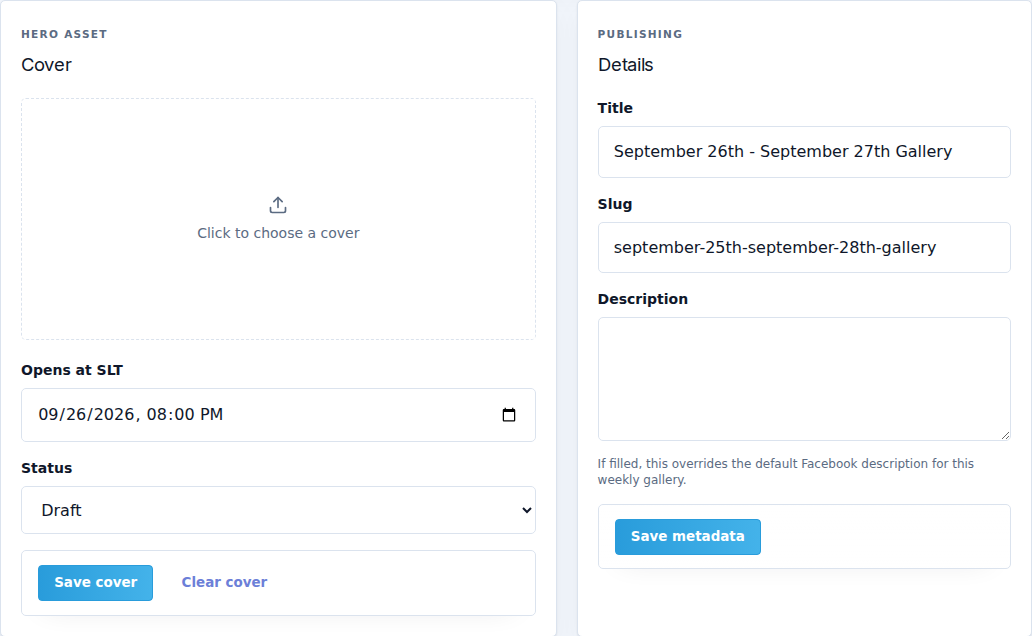
Cover and metadata
| Field | What it controls |
|---|---|
| Cover image | Main image for the collection. Choose a JPG, PNG or WebP image using the upload control. |
| Opens at SLT | Gallery opening time in Second Life time. Check it against the round schedule. |
| Status | Draft while preparing; Published for the public state. Treat changing and saving this as a publication action. |
| Title | The public gallery name. |
| Slug | The gallery's address segment. Keep it readable and stable once shared. |
| Description | Description for this gallery. When set, it also overrides the default Facebook description for this round. |
Use Save cover for the cover settings and Save metadata for the details, then wait for confirmation. Clear cover removes the current cover; keep a source copy if you may need it again.
Items
Approved submission material can be brought into the gallery draft. You can also use Upload images where your permissions allow it. Each image card has:
- Title: the product or image name visitors should see.
- Product URL: the destination to open; check that it points to the correct store/product.
- Order: numeric ordering within the collection.
Card edits save through the editor's item-saving behavior. Wait for the saved state before leaving; correct any error rather than assuming the change persisted. Open an image preview to inspect the full image. The delete action removes that gallery item; it is not a way to reject the original designer application.
Download JPG ZIP downloads an archive of the gallery images. It requires images to exist; it is separate from publishing.
Weekly Facebook album
Facebook publishing is optional. First configure the event's Facebook Page in Facebook → Connection.
- Create or choose this round's album on the connected Page.
- Paste the album's URL into Weekly album link.
- Select Save album link.
- Check the resolved target and validation result.
- Use Publish to Facebook only when the Page, album and images are ready.
Use a Page album, not a group URL or a personal profile album. A missing connection, invalid album or empty gallery keeps publishing unavailable. Read the displayed reason. EventSale gallery publication remains separate.
Final publication check
Check the status, opening time, cover, title, item count, image quality, order and destinations. Then use Publish gallery. Open the public gallery in a private browser window and test a product link. If it does not appear, check both its published state and Settings → Operations → Public portal enabled.