Audience contacts
Open Audience → Contacts. This is the event's contact directory for grouping and marketing. A contact is not automatically an approved designer, a paid participant or a member of your staff.
Find or add a contact
Use Search for an avatar name, display name, UUID or notes. Filter by segment narrows the list; Rows per page and pagination change which rows are visible. A row checkbox selects one record; Select all records on current page selects only that page. Check the selected count before Delete selected and its confirmation. Bulk deletion is not a suppression action.
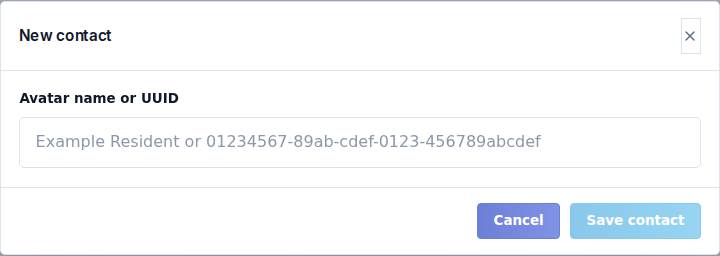
For one new contact, select New contact, enter Avatar name or UUID, and Save contact. Check the resolved identity. Use the exact Second Life username or full avatar UUID, not a display name shared by several people. For a larger list, use Audience import.
Contact details and segments
Open a contact to inspect its identity, sources, state, notes and segment membership. The detail dialog has these controls:
| Field | Meaning |
|---|---|
| Avatar / UUID / Profile / Last seen | Reference identity and activity information, with copy controls. Verify these before editing the record. |
| Display name | The label your team sees for the contact. It does not change the underlying avatar UUID. |
| Contact state | Active or Excluded from future contact. |
| Notes | Useful internal context for your team. |
| Exclusion reason | Appears for an excluded contact; explains why it should not receive messages. |
| Segments / Sources | Read-only context showing group membership and the origin of the record. |
Select Save changes to persist edited details. Manage segments adds/removes custom group membership; Find a segment filters the available groups. Each attach/remove action updates membership directly. Wait for it to finish, check the linked groups, then select Close. System segment membership follows the event's records and is not an editable manual list.
Identity resolution can fail for a misspelled or unavailable avatar. Correct the source identity before trying again. Do not replace the UUID with a different person's UUID just to satisfy validation.
Suppress, restore or delete
Suppress/exclude prevents future marketing to a contact. This differs from removing a contact from one segment: the person can belong to several groups and still be suppressed.
Use Restore only when the contact should receive messages again. Existing suppressed recipients are still excluded when a campaign is otherwise ready, including designer campaigns whose unsubscribe notice is optional.
Delete removes the contact record. Use it for a record you actually intend to remove, not as a way to bypass an unsubscribe request. Deleting an audience record does not delete the corresponding application or payment history.
Before a campaign, check the intended segment, eligible recipients and suppression state. Keep credentials and private payment information out of contact notes.