Review new applications
Open Applications → Pending review. These records are requests to join your event. They are not weekly product submissions.
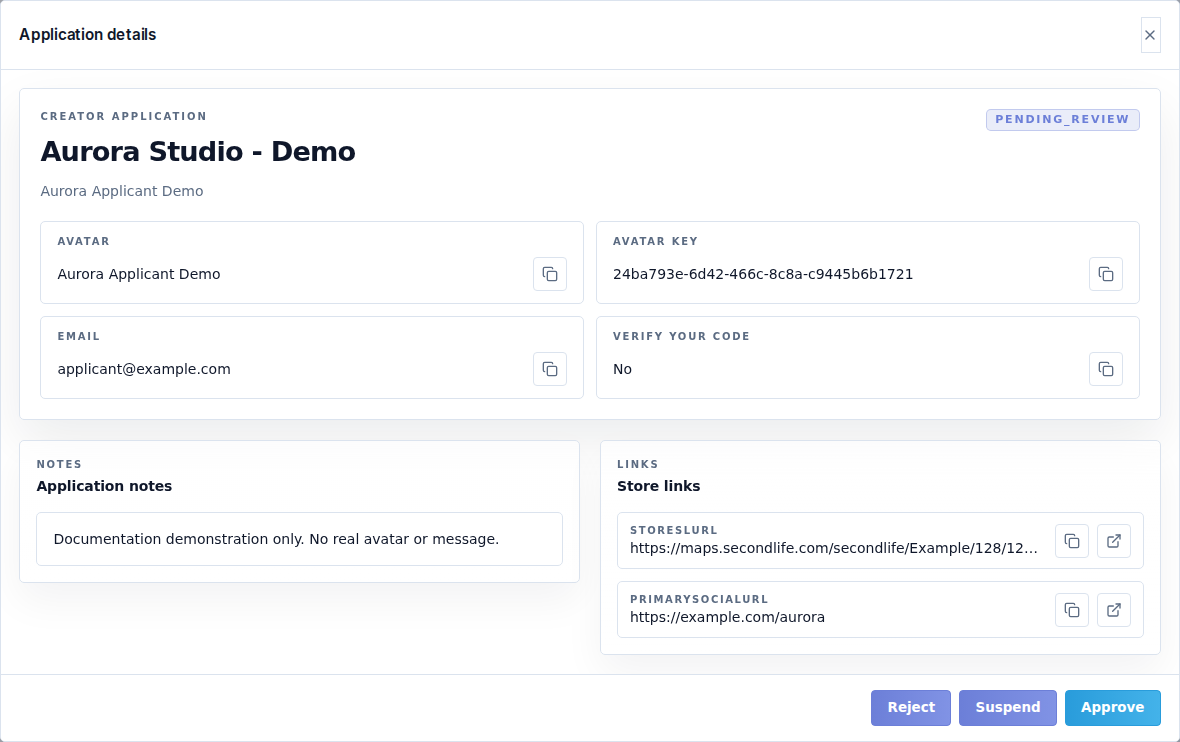
Find and open a request
Use Search for the store, avatar or email, Created for All time / Last 7 days / Last 30 days, and Page size for 10, 25 or 50 rows. Clear filters before assuming a request is missing. Export CSV exports application data for your records; store the file with appropriate care because it contains contact details.
Select the store/avatar name or View application. Check the avatar identity, store links, social links, notes, custom answers and verification information. Open the supplied links before approving an unfamiliar store.
Choose the result
| Action | Result |
|---|---|
| Approve application | Accepts the designer and enables the approved-profile workflow. Round entry still depends on dates, required content and payment. |
| Reject application | Records that the event does not accept this application. Give the creator a clear reason. |
| Suspend application | Restricts participation without deleting the record. Use for a relationship you need to pause. |
For rejection, the Reason for the creator is required and limited to 2,000 characters. The creator can see it in application history. Write a specific, actionable reason without private staff commentary.
Gallery placement
The placement control offers Standard or Premium. Premium entries appear first. Premium position optionally sets ordering among premium entries; leave it empty for automatic application order. Placement affects presentation; it does not pay a fee or approve a weekly submission.
After the action succeeds, check the destination tab and the creator's status. If a button is unavailable, check your workspace role. If approval succeeds but the creator cannot submit, inspect the round windows rather than approving the application again.