Send round content and invite assistants
Open the event's creator portal and select Submission. Confirm the round before entering content. The form has five stages and shows the round, windows, submission state and payment state alongside them.
The current Submission page can format its read-only window times in your browser’s time zone. For the authoritative SLT dates, check Overview or the owner’s confirmed schedule. See the time-display note.
1. Profile details
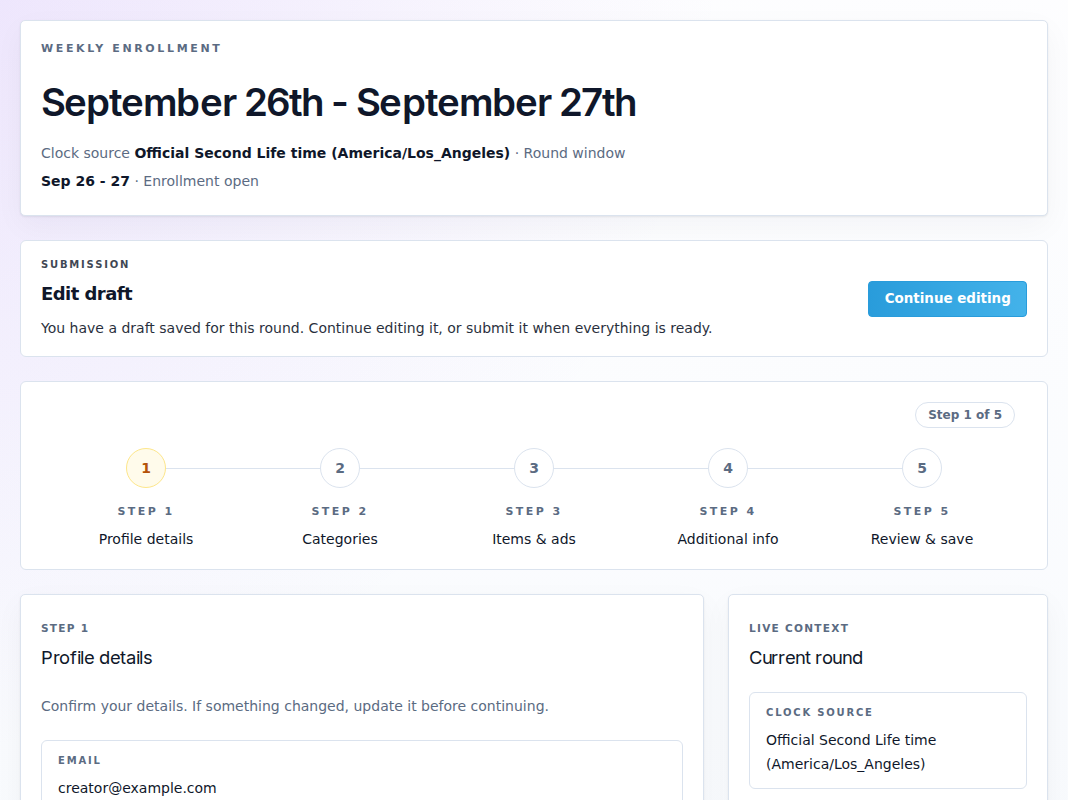
Review Email, Store name, Owner name (legacy), Store SLURL, Marketplace and social links where shown. For a changed detail, select Yes next to the corresponding “Did … change?” question and enter the replacement. Use No when the existing detail is correct.
The owner name field is profile information; it does not transfer ownership of your avatar or store. Changes are saved per step when you continue. Correct validation errors before advancing.
2. Categories
Choose categories from the event's list. Respect the minimum and maximum displayed by the form. Select what describes this round's products; adding the same item under unrelated categories does not improve its eligibility.
3. Items & ads
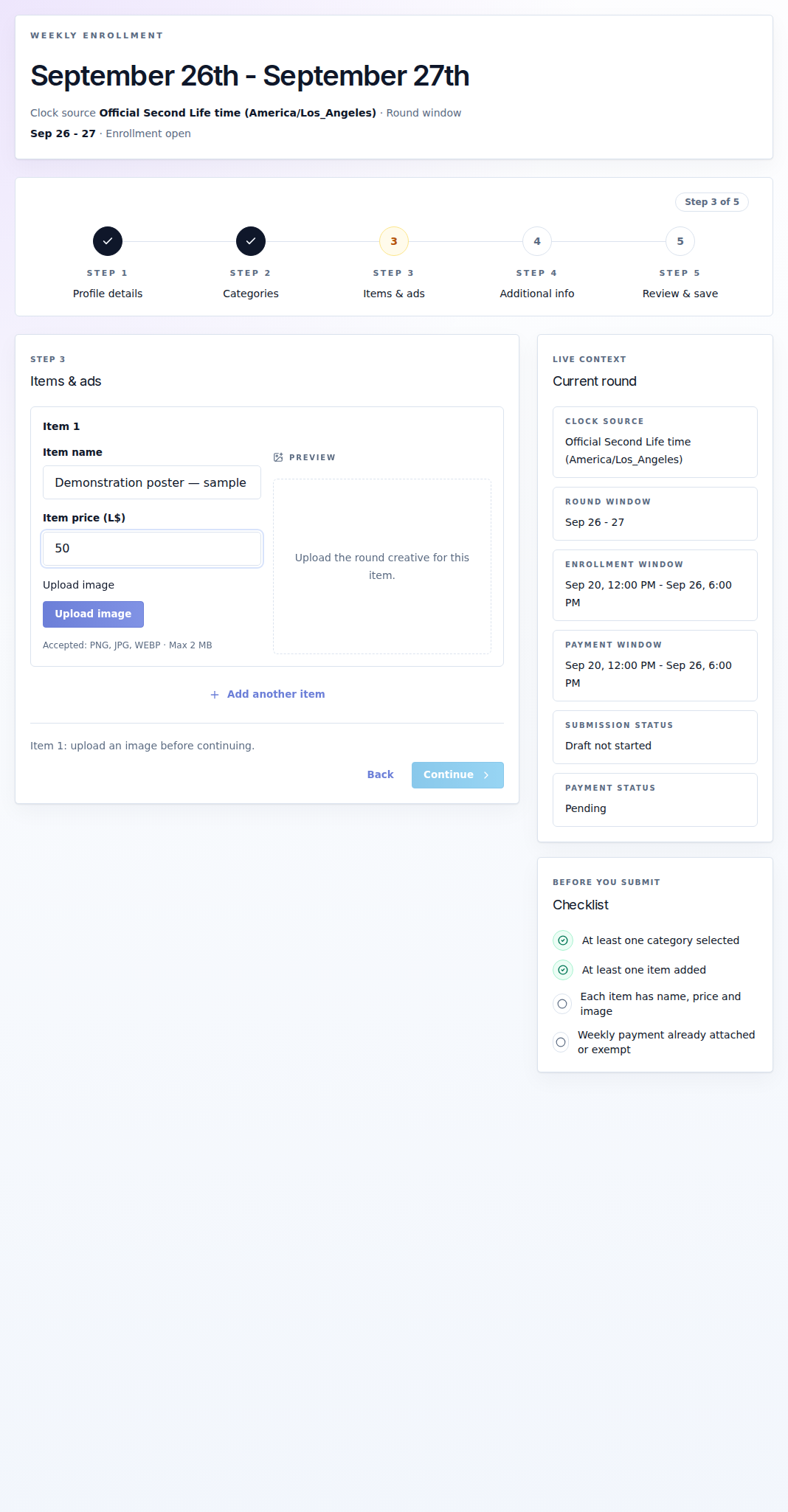
| Field or action | What to provide |
|---|---|
| Item name | The product's public name. |
| Item price (L$) | The product's price, where required. This is separate from the event participation fee. |
| Product URL | Required when the event enables that rule. Use the intended public product/store destination. |
| Upload image / Replace image | One image per item. The form shows accepted formats and the event's per-file size limit. |
| Add item / Remove item | Adjusts the product list within the event's item limits. Review before removing an uploaded item. |
Each image must be 4096 pixels or smaller on each side, as well as within the displayed MB limit. The usual formats are PNG, JPG and WebP; GIF is accepted only when the event enables it. A file larger than the displayed MB limit is rejected even if its dimensions look small. Wait for the upload and preview to finish before continuing.
Check the ad's destination choices and store/social links when shown. A banner image and the destination it links to are separate fields; an attractive image with the wrong link still sends visitors to the wrong place.
4. Additional info
Enter the notes requested by the event. Respect the character limit. Read the payment summary and use Open payment land/location if a fee is pending. Touch the event's terminal and pay the stated amount once with the correct avatar or an authorized manager.
5. Review & save
Review profile changes, categories, every item, image and destination. The final action depends on billing:
- Save draft stores work without sending a completed entry for review.
- Submit current round sends complete content when payment is already attached or the entry is exempt.
- Save and await payment stores complete content while payment is pending. The submission moves to review automatically after the payment is confirmed.
Read the resulting status. Payment does not complete an unfinished draft, and saving content does not charge your avatar. If the team requests changes, read its notes, edit while the round permits it and send the corrected version.
Invite a creator manager
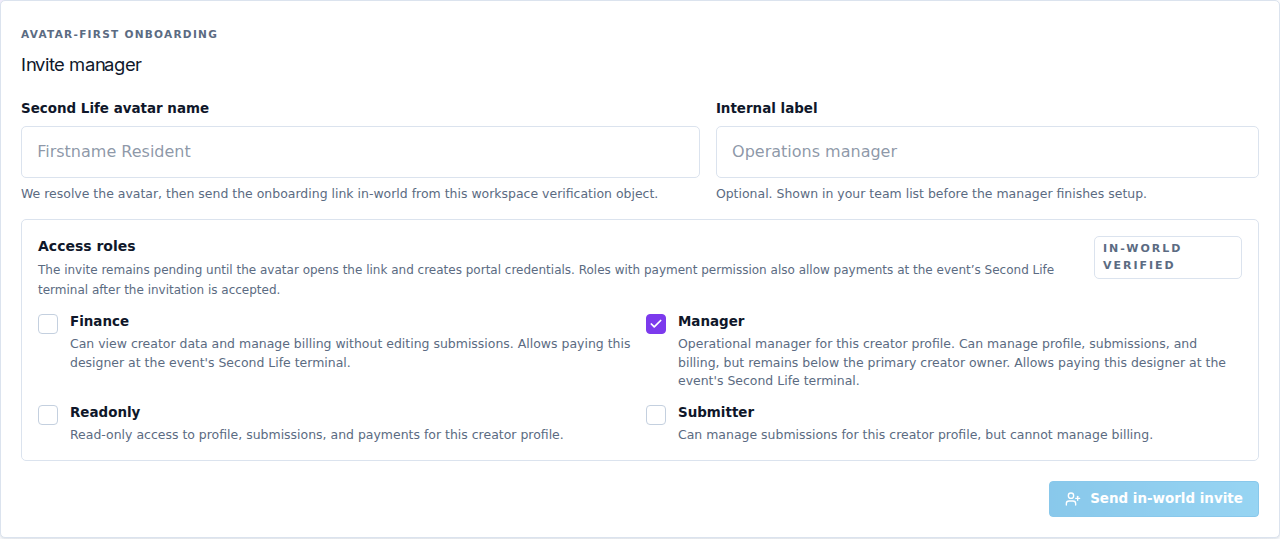
Open Managers. This gives an assistant access to your designer profile, not to the event owner's dashboard.
- Enter the assistant's Second Life avatar name.
- Optionally add an Internal label to recognize the invitation.
- Select the required Access roles.
- Select Send in-world invite. This sends a real invitation through the event's Server.
- The assistant opens the message link, verifies access and creates portal credentials. The roster stays invited/pending until onboarding is completed.
| Role | Access |
|---|---|
| Manager | Manages the creator's profile, submissions and billing; remains below the primary creator owner. Can pay on behalf after accepting. |
| Finance | Views creator information and manages billing, including payment on behalf; does not edit submissions. |
| Submitter | Manages submissions without billing management. |
| Readonly | Views the profile, submissions and payments without editing. |
Payment permission comes from the assigned roles. There is no separate “allow delegated payment” checkbox to look for. The roster shows Can pay on behalf or Payments not permitted.
Use the available actions to edit roles/display name, suspend/activate, rotate a pending invitation or remove an assistant. Rotating an invitation creates new onboarding instructions; do not keep distributing the older link. Check the status after every change.