Payments
The Payments page is the event owner's ledger and terminal control center. It shows what creators paid for rounds and whether the in-world payment terminals are available to receive the next payment.
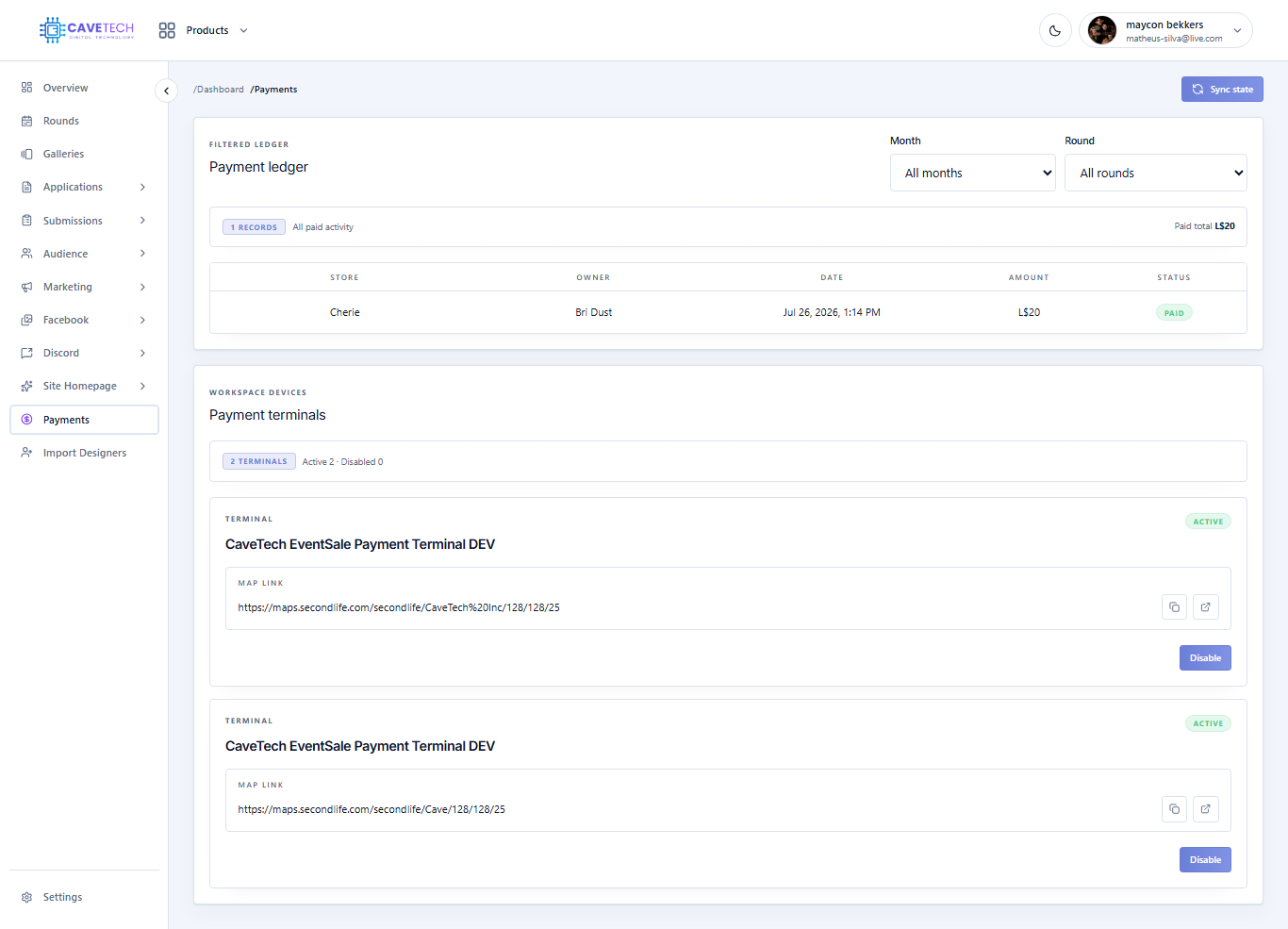
Read the ledger
Use the Month filter to review a time period and the Round filter to isolate one release. The table shows the store, owner, date, amount, and payment status. The paid total above the table reflects the currently selected window, so change the filters when comparing different rounds.
Use the ledger as a record, not as a replacement for a creator conversation. If a payment looks unexpected, compare the round fee and the terminal activity before changing any creator or application record.
Payment terminals
The terminal cards show the object name, state, and Second Life map link. Active terminals can accept payments when the round's payment window is open. Disabled terminals remain registered but should not be used for collection.
Use Sync state when a terminal was moved, restarted, or has not reflected the latest workspace state. The result reports terminals delivered, failed, or skipped as stale. Enable or disable an individual terminal only when you know where it is and who is responsible for it.
Before opening payments
Confirm the round fee, payment dates, and payment land link in Settings → Operations. Confirm the correct in-world terminal is active and reachable. Then open payments for the round from Rounds. Closing payments stops terminals from accepting that round immediately; it does not erase successful ledger entries.