Maintain Dropbox inventory
Open Dropbox, then open the object you want to inspect. Use its inventory view to verify the items that your Products and extras depend on.
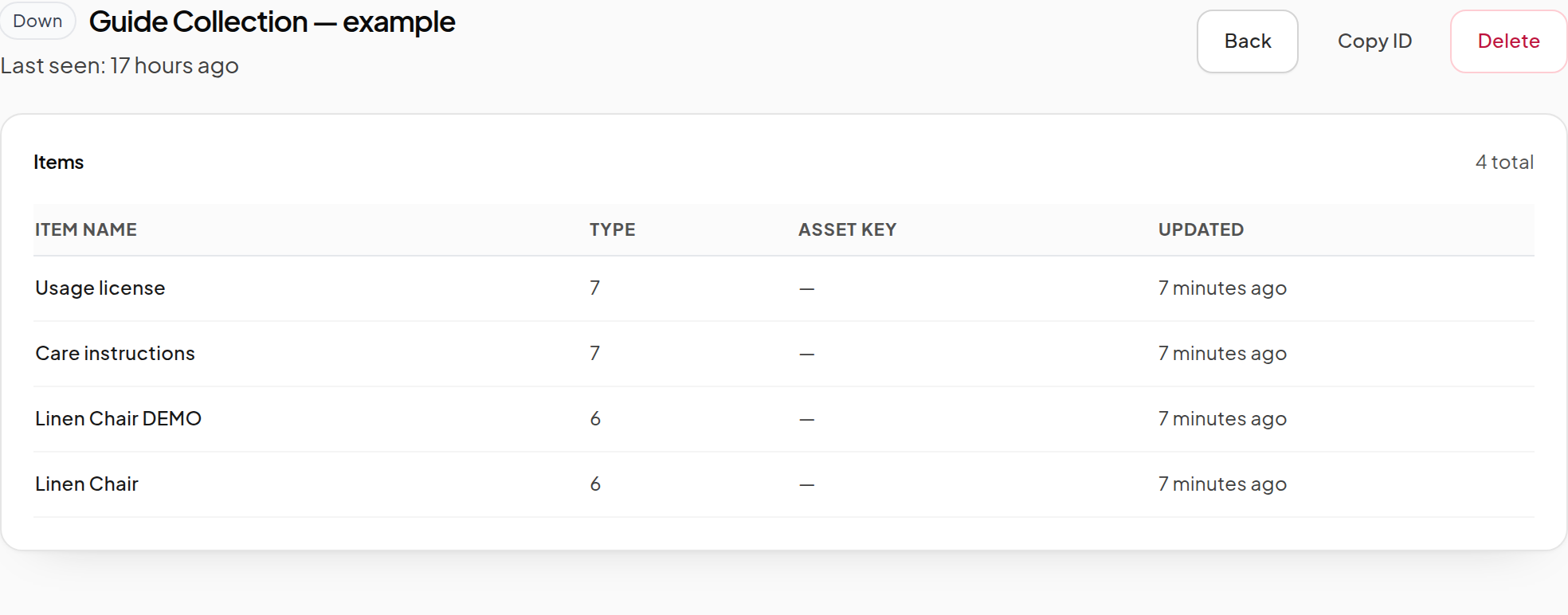
After adding or changing an item
- Change the inventory in the actual Dropbox's Contents in Second Life.
- Leave the Dropbox rezzed and its scripts running.
- Wait for synchronization; touch it as owner to request a refresh when necessary.
- Reload its dashboard inventory and verify the result.
- Update any Product source selection that should now use a different entry.
Renaming a Product in the dashboard changes the listing name. It does not rename the inventory item inside the Dropbox.
Understand permissions
The Dropbox owner's Transfer permission determines whether the item can be sent. The next-owner Copy/Modify/Transfer permissions determine what the customer receives.
Inspect delivery eligibility in the Product's item selector and the Permissions indicators in Core. The Dropbox inventory table above lists items; it does not display those permission indicators.
If owner Transfer is missing, change the source item or correct its legitimate permissions. If permissions are still unknown, wait for a complete scan instead of assuming the item can be delivered.
When a Dropbox is offline
An offline Dropbox can retain catalog records while being unable to deliver immediately. Check whether the actual object is rezzed, scripts are running and the region is available.
Do not delete a Product because an inventory refresh is temporarily incomplete. Let the scan finish, then verify the item in Second Life before changing references.
Before deleting a Dropbox
Review Products, Demo selections, extras and information-notecard settings that reference it. The system can reject deletion when other resources still depend on the Dropbox.
If you are moving inventory to a replacement object, synchronize the new source, update the intended references and verify delivery before removing the old source. A dashboard deletion does not move inventory for you.
For new installation, see Dropbox setup. For a queued customer problem, see Delivery issues.