Product options and restrictions
Open a Product's Edit action to change its options. Core controls price and delivery, Listing controls presentation and timing, and Advanced → Show exposes optional restrictions and integrations.
Configure optional profit shares
In Core, enable Split payment to share proceeds with your chosen recipients.
- Enter a recipient's avatar UUID and a whole-number percentage.
- Complete the row before adding another recipient.
- Add up to five distinct recipients when needed.
- Check the total and save the Product.
Use actual avatar UUIDs in share fields. The username lookup in manual delivery does not mean every UUID field accepts a display name.
The Product's enabled share list takes precedence over the Vendor's fallback share list. Disabling it allows the applicable Vendor fallback to be used. Coupon partner shares and CaveTech commission are separate and must fit within the available sale amount.
Percentages are calculated from the accepted sale amount and rounded down to whole Lindens per recipient. An allocation of L$0 does not create a transfer. Read Understand your earnings before interpreting payout totals.
Limit stock
- In Core, choose Limited under Stock.
- Enter a non-negative Quantity.
- Save the Product.
- Confirm the remaining stock and the assigned Vendor's sold-out behavior.
Use Unlimited when a sale should not consume a configured stock allowance. Stock is not a substitute for the Dropbox owner's transfer permission or actual inventory availability.
Set a sale window
- In Listing, enable Sale window.
- Enter a start time, an end time, or both.
- If both are present, ensure that the end is after the start.
- Optionally provide the before-sale and after-sale banner texture UUIDs.
- Save, then check the displayed availability.
The sale window affects whether the Product can be acquired, not just its picture. A changed texture by itself does not authorize a sale outside the window.
Use Advanced options
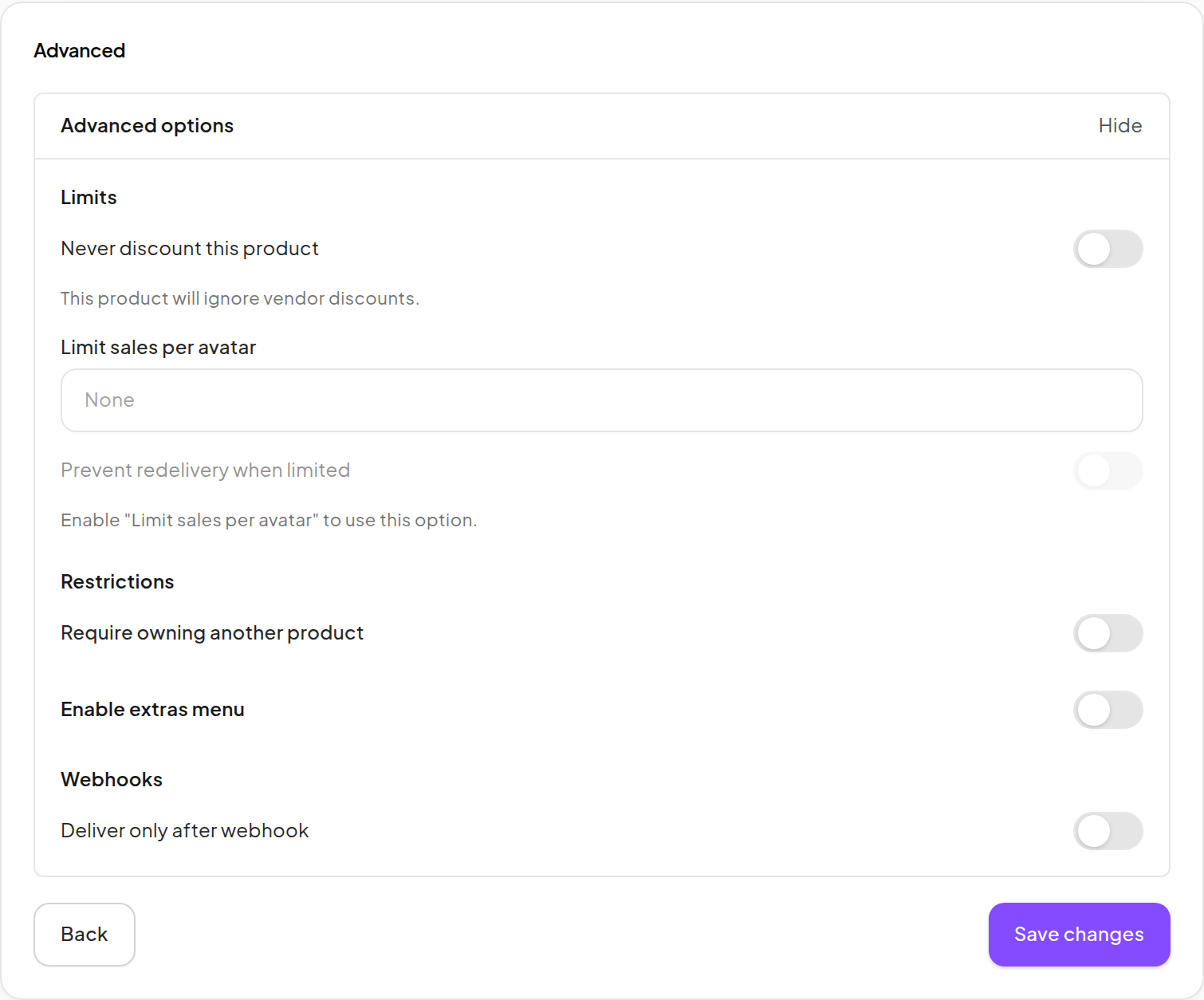
| Option | Effect |
|---|---|
| Never discount this product | Protects the Product against discounts. A lower Vendor override cannot bypass its protected Product price. |
| Limit sales per avatar | Caps eligible purchases per avatar. Leave it unset when no cap is needed. |
| Prevent redelivery when limited | Adds the associated recovery restriction when a positive per-avatar limit is configured. |
| Require owning another product | Requires a qualifying delivered purchase of another Product in your store. |
| Enable extras menu | Offers configured Info, License or Video actions. |
| Deliver only after webhook | Holds the item delivery until the configured external approval succeeds. |
Require an existing Product
- Enable Require owning another product.
- Select a different Product from your own catalog.
- Save and test with a customer who qualifies and one who does not.
A Demo or a similar Product name is not proof of the required purchase. Do not enable this option on your first test Product unless you also have a qualified test customer.
Add Info, License or Video
- Enable Enable extras menu.
- Choose the Extras source Dropbox.
- Select an information notecard and/or license item, or provide a valid Video URL.
- Leave unused actions blank so their buttons stay hidden.
- Save and check the offered actions in the customer's touch menu.
At least one usable extra is required when the menu is enabled. The selected inventory must belong to your store and the selected Dropbox.
Hold delivery for an external service
Use Deliver only after webhook only when your service integration is prepared to respond successfully.
- Enable the option and supply the valid public HTTP(S) webhook URL.
- Save the Product.
- Verify a controlled purchase and the expected approval response.
- Monitor Delivery issues for waiting or failed webhook work.
Until approval succeeds, a waiting delivery is intentional. Changing this option without checking the external service can leave customers waiting. Do not use a private/internal address or repeatedly resend a purchase to test the integration.
Store Credit Products intentionally have a smaller set of options; consult Store Credit for their exclusions.