Manage your product catalog
Open Products to find and maintain the Products sold by your Vendor objects.
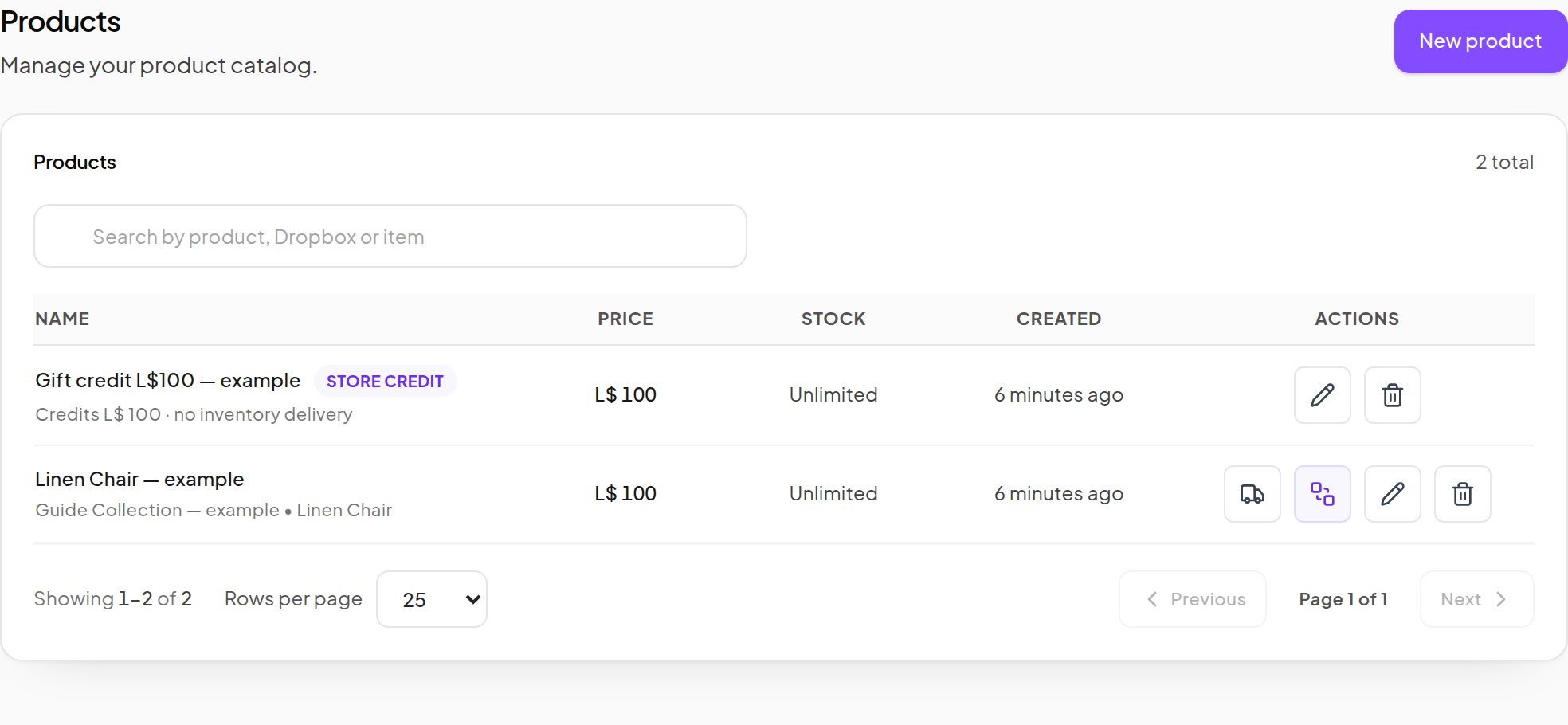
Find a Product
- Enter part of the Product name, Dropbox name or inventory item name in Search products.
- Review the matching rows.
- Use the pagination controls when the catalog has multiple pages.
- Clear the search to return to the full catalog.
Edit a Product
- Use the row's Edit action.
- Review Core, Listing and Advanced.
- Make the intended changes and click Save changes at the end.
- Reopen the Product to confirm the saved values.
- Check an assigned Vendor after it refreshes.
Product type cannot be changed after creation. An edit changes future use of the Product; it should not be interpreted as rewriting the amounts recorded for past purchases.
Replace an item or release a version
- Add the new deliverable to your Dropbox and wait for synchronization.
- Edit the Product's Source and Item, if the inventory entry changed.
- Update Version and other listing details as needed.
- Save and verify a new purchase.
- If existing customers should receive the update, use Send product update.
Saving a new version does not itself send an update to every customer.
Choose the right delivery action
- Deliver sends a manual item to a named avatar or UUID. It is not a new paid sale.
- Send product update prepares the current Product item for eligible existing customers.
- Customer Redelivery lets an eligible purchaser recover the Product through the normal recovery flow.
See Manual delivery and updates for the exact steps and checks.
Remove a Product carefully
Use Delete only when you intend to remove that catalog entry. Read the confirmation and any dependency message. If the Product is still needed by Vendors or other records, resolve those references first.
To temporarily stop selling, prefer an appropriate sale window or taking the relevant Vendor offline. That is different from deleting a Product that customers may need for recovery.