Billing and the weekly paid plan
Open Billing to see your Vendor access and commercial mode. Vendor access is free and non-expiring; the weekly paid plan changes the platform commission on eligible sales.
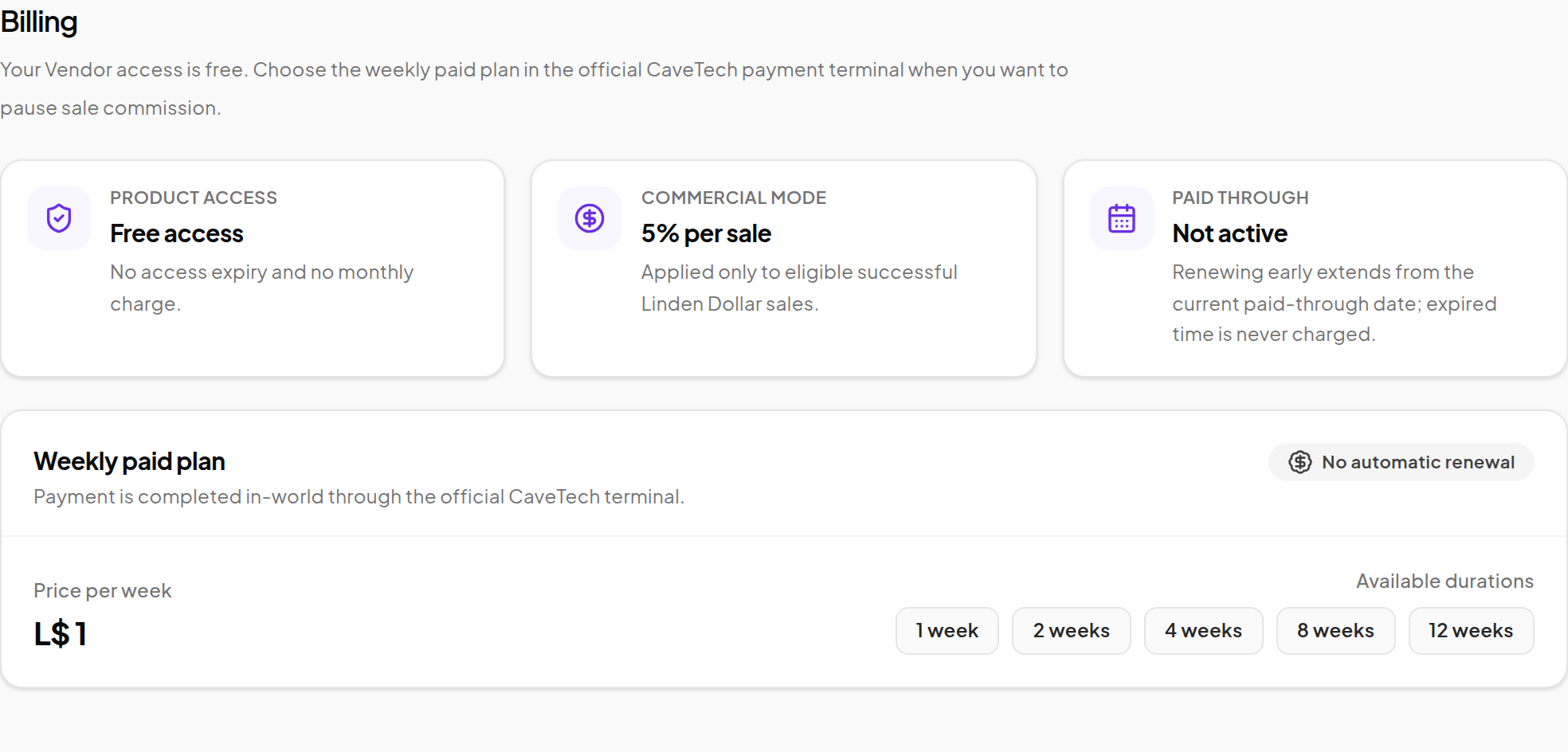
Read the status
| Section | What to check |
|---|---|
| Product access | Confirms the free access state. |
| Commercial mode | Shows commission mode or the active paid mode. |
| Paid through | Shows the end of a verified paid period, if one exists. |
| Weekly paid plan | Shows the current price per week and available durations. |
The store owner cannot edit CaveTech's platform commission percentage or the weekly price from this page. Use the current published offer displayed by the system.
Buy paid weeks
- Visit the official CaveTech payment terminal in Second Life with your store-owning avatar.
- Choose Vendor as the product.
- Choose one of the offered week quantities. The current flow supports 1, 2, 4, 8 and 12 weeks.
- Review the quote's quantity, price per week, total and expiry.
- Pay the exact quoted amount while the quote is valid.
- Return to Billing, reload it and confirm the updated Paid through date.
Payment is made in the official terminal, not by typing a new expiry date into the dashboard. An expired quote should be requested again before paying.
Renewal behavior
- Renew while active: the purchased time extends from the current paid-through date.
- Renew after expiry: the new period starts from the payment time. Expired time is not charged as arrears.
- No automatic renewal: you choose when to purchase more weeks.
- Paid period ends: eligible future sales return to commission mode. Vendor access does not expire because paid time ended.
What the paid plan changes
It pauses CaveTech platform commission while the paid period is active. Optional Product/Vendor and coupon partner shares remain applicable under their own settings.
For a numerical example and the distinction between a deduction and its transfer confirmation, see Understand your earnings.
If the terminal accepted payment but the displayed period is unexpected, keep the transaction reference and contact CaveTech before paying again.