Marketing — Campaigns
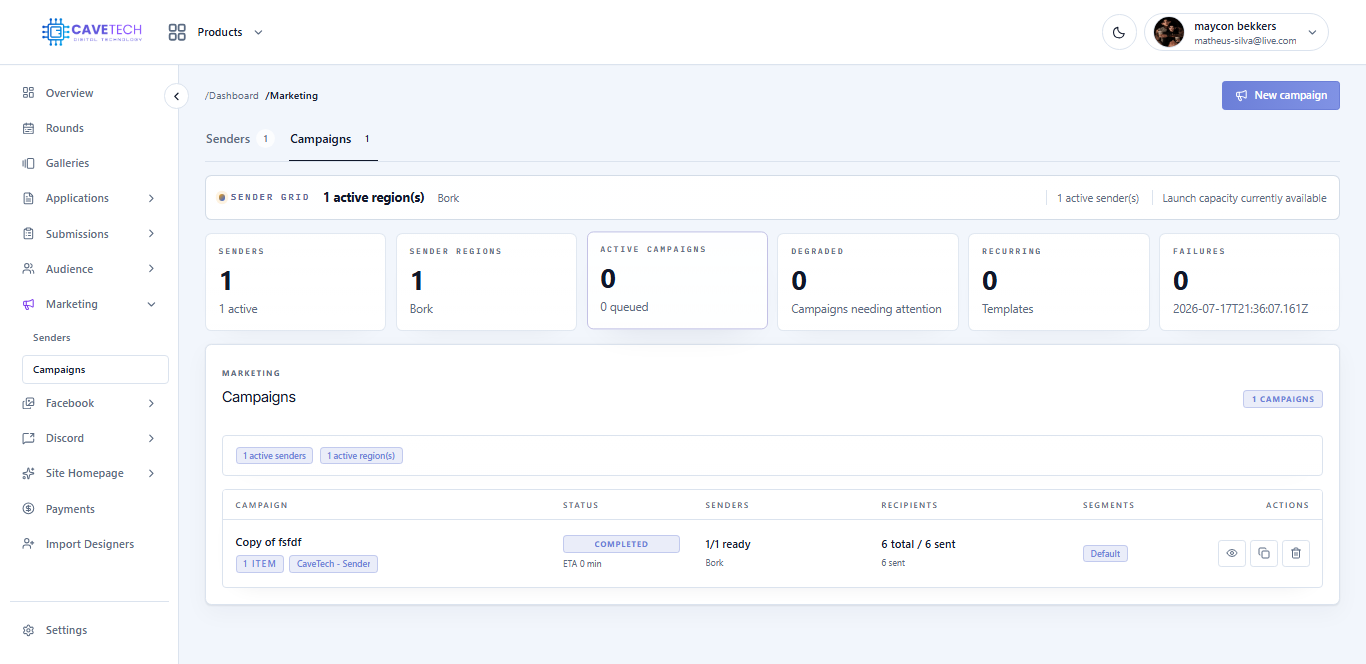
The Campaigns page helps you send a message, offer an inventory item, or do both for a selected audience. EventSale checks the sender fleet before launch so you can see whether the plan is realistic.
The five-step campaign wizard
1. Campaign type
Choose One-time campaign for a single planned delivery or Recurring campaign for a schedule that repeats on selected weekdays. Give the campaign a clear name and write the chat message. EventSale shows the message-size limit while you type.
2. Content and pool
Choose an optional Catalog item. With no item, the campaign is message-only. With an item, EventSale looks for compatible active sender servers and shows how many are ready. You do not need to guess which sender should carry the inventory.
3. Audience
Choose an Audience segment. EventSale shows the number of eligible sender servers and regions. An unsubscribe notice is optional for designer-only audiences and mandatory for general, custom, or mixed audiences, so recipients can stop future marketing messages.
4. Schedule
For a one-time campaign, choose the target date and time. For a recurring campaign, select weekdays and either use the same time for every selected day or set a different time for each day. Recurring schedules use the EventSale marketing time zone shown in the wizard.
5. Review and create
Read the audience, content, sender regions, delivery estimate, and message preview. A campaign can be saved as a draft even when senders are not ready, but launch remains blocked until the readiness checks pass.
Campaign actions
Use the campaign list to edit, duplicate, pause, resume, cancel, or delete a campaign. Duplicating is helpful for a new release because it copies the plan into a new draft while leaving the original unchanged. Pause a recurring campaign when you want to keep its setup but stop delivery temporarily.
If a campaign shows a capacity or content blocker, fix the sender or catalog problem first. Launching repeatedly will not solve a missing region, offline sender, or unavailable item.